See the project here: SEE MANAGEMENT
The YES CMS was a proprietary content management created by London design studio YES.STUDIO. it's origins were based in photographer archive management, but it went on to become thee go-to platform powering numerous artist agency websites: The likes of LAIRD & GOOD COMPANY, MAP LTD, CLM AGENCY all used the platform to power their media heavy sites.
This backend, coupled with award winning, next-gen design aesthetics by Grammy Award winner Simon Earith and the YES STUDIO team made these brands some of the most cited references in their industry. There were a couple of competitors to the platform, namely New York's LOOKBOOKS who took a much more public approach and even took a stab at building a social platform. Today their focus is purely on the Artist Agency and portfolio management services with strong social marketing tools.
As the YES.CMS reaches it's end of life, one such agency SEE MANAGEMENT approached us to re-platform their almost decade old website. Migrating from a custom CMS to an off-the-self CMS can always be challenging: Custom platforms used to be common place and the number of suitable CMS's out there was limited, but today, with dozens of SAAS Headless and self-hosted CMS solutions, it is even harder to know what's the right choice.
This was our criteria
Self hosted: The client needs to own all their data and assets and know that they can take control of them whenever they want, not be bound to vendor lock-in fees with no clear migration path away from the platform.
Finer grained asset management: the YES CMS asset manager dumped all the photos in to one big bucket, much like Wordpress does. The client needed the ability to folderize their assets much like on a desktop computer, move assets between folders, etc.
Price: the YES CMS charged per artist portfolio, meaning the platform had a sliding scale pricing structure that could quickly move up to the thousands of dollars per month. A predictable pricing structure a must.
Developer community: Ability for third parties to work on the codebase. The YES CMS is a completely proprietary system with no open source code or API's meaning no developer outside of the YES team could work or contribute to the codebase. Choosing a platform with a 10 year history on Stack Overflow and extensive public documentation was paramount to the long term goals of the migration.
Highly Flexible: Many new Headless CMS platforms have a pretty rigid and limited amount of features if truth be told, Storyblok for example didn't even support Tags or Categories on media assets when we started our first project on the platform ASH.WORLD, and most have very limited asset storage allowance—great for a small individual portfolio site but SEE's initial migration consisted of over 100,000 images and videos, and was set to grow from day one. SEE needed to tag, categorize, organize and get extremely fine grained control over all aspects of content, without constant duplication. CRAFT supported most of these concepts out of the box.
Feature envy
The move to Craft was not without frustrations. The YES CMS was setup to do one thing and do it well—manage thousands of images, CRAFT is a general purpose CMS that is used by dozens of different industries and is designed to support an ever changing set of content types. Our mantra is to work with a platforms strengths, not against it's weaknesses, not fighting a never ending battle of feature envy—and we tried our utmost to adhere to this mantra.
Custom modules and plugins
We needed to create a few custom modules to enhance the admin UI of Craft and add features that it does not provide out of the box. Whenever we do this, we always view this process as an opportunity to contribute to the core code base and always submitted our feature requests to CRAFT in the hope that they will consider integrating them in future versions of the platform.
Bulk tagging at the asset folder level
Craft has the flexibility to create multiple sets of Categories or Tags with an endlessly deep nested structure, if you wish. The one thing it cannot do is mass assign these categories to a selection of assets, or a folder and all of it's children in bulk, with just one action. With an archive of over 100,000 images, these assets needed to be bulk tagged based on their folder, so that they could be easily searched for in the admin. We created an admin UI module to accomplish this.
[add mp4 of this working]
Macros asset sorting
Drag and drop asset moving
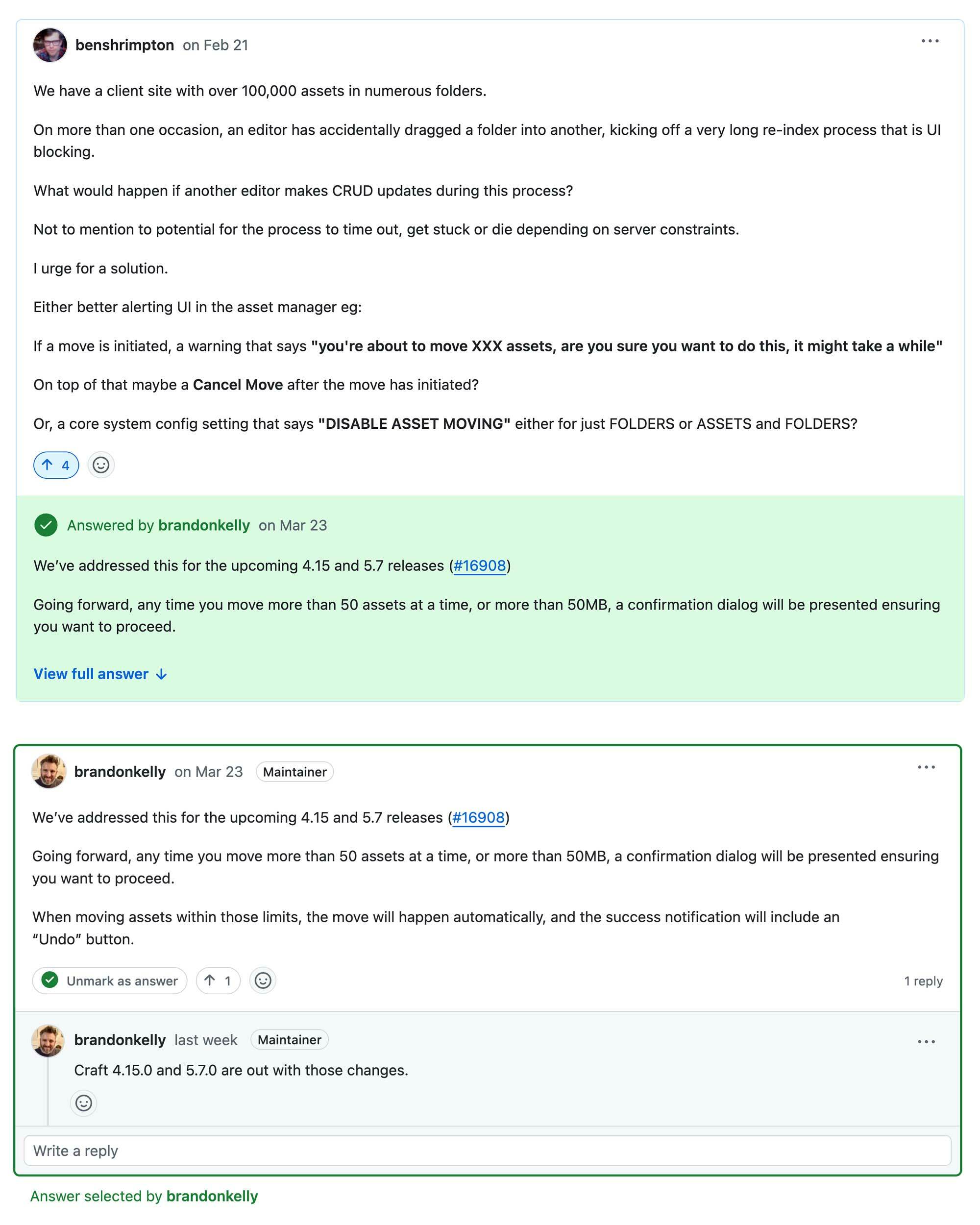
As we added more and more assets to the file manager, we exposed a near-fatal flaw in the drag-and-drop feature of the assets panel. If a user accidentally—or intentionally—dragged a folder of images into another folder, it would kick off a lengthy re-indexing and resizing process. That’s fine for 10 assets, but if the folder contained thousands, the process could take hours rather than seconds. The potential for server timeouts, resource hogging, and a blocked UI was truly unbearable. We submitted a feature ticket to craft, and by the end of our development cycle were please to see they had released a fix for this.